
In this article, you'll learn about GapFinder modules and how to leverage them in your courses.
For more information, check out:
 |
TL;DR: This article positions GapFinder as a diagnostic assessment tool that can be used for baseline learning, post-training checks, or final competency assessment—and can recommend Dynamic Learning modules based on results. |
GapFinders are interactive assessment tools designed to move beyond generic, one-size-fits-all testing. They provide learners with detailed feedback and customized learning paths based on their individual knowledge gaps and confidence levels.
GapFinders vs. Dynamic Learning Modules
GapFinders and Dynamic Learning both use questions, but with different goals. GapFinders act as diagnostic assessments, pinpointing what learners know and where gaps exist. This guides targeted learning interventions, ensuring each learner gets the support they need.
Dynamic Learning, in contrast, teach through interactive questions, helping learners build and reinforce knowledge as they progress.
In practice, these tools often work together: a GapFinder might identify specific knowledge gaps, then recommend targeted Dynamic Modules to fill those gaps through interactive learning. Benefits of GapFinder include:
- Efficiently identify knowledge gaps: GapFinder uses targeted questions to quickly determine where learners need support, assessing multiple topics while building on what they already know.
- Rate confidence: Assessments can use confidence ratings to reveal how well learners truly understand the material, distinguishing between genuine knowledge and uncertainty.
- Customize learning: GapFinder recommends focused learning paths based on assessment results, helping learners efficiently strengthen the skills that need the most attention.
- Create actionable insights: Learners and managers receive detailed feedback with performance metrics that include confidence levels for a deeper understanding of strengths and areas for growth.
- Optimize training time: GapFinder directs learners to targeted follow-up plans and dynamic modules, maximizing skill development while respecting learners’ time.
- Fast implementation: GapFinder can be seamlessly built from existing learning modules and content, or easily created from scratch, making adoption straightforward for training teams.
Why Clients Choose GapFinders
There are several reasons clients use GapFinder modules. GapFinders save time for learners by quickly pinpointing knowledge gaps, minimizing unnecessary training, and honoring learners’ existing knowledge. They also provide highly customized learning by suggesting topics based on each learner’s performance, ensuring truly targeted development.
Both learners and managers appreciate the seamless way GapFinder assesses learners and remediates knowledge gaps without overwhelming or frustrating participants. At the end of a GapFinder module, learners receive comprehensive feedback on their performance, with clear guidance on improvement areas and suggested learning paths to follow.
Common Uses for GapFinder
GapFinder modules look like what most people think of as a test or quiz, but our GapFinder modules have many more uses beyond assessment.
Baseline Learning
You can use a GapFinder at the beginning of a learner’s journey to help them narrow down what they need to review in future learning. This is especially helpful if your audience is comprised of a wide range of learners who may not all need every module but will need some.
Learners can take a GapFinder that includes questions that represent each of the topics in the full course. From there, you can configure the GapFinder to provide custom messages based on score or topic and recommend the modules that include the topics each learner struggled with.
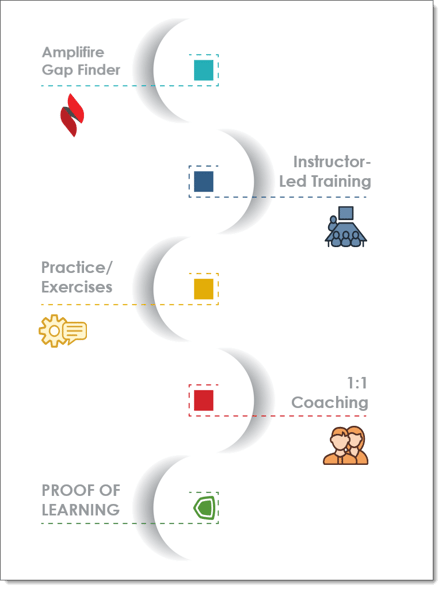
Examples include:
- Onboarding: Rapidly assess new hires and direct them to relevant training, speeding up time-to-productivity and eliminating unnecessary modules.
- Workforce readiness: Assess team-wide strengths and gaps to guide strategic training investments and build organizational capability.
- Pre-assessment baseline: Establish baseline understanding to demonstrate training impact and measure progress effectively.
Training Tool
You can also include a GapFinder after instructor-led training to narrow topics learners didn’t understand. This is a good approach if learners have limited time to provide the feedback necessary for the trainer. Otherwise, I think a Dynamic Learning module would be better here.
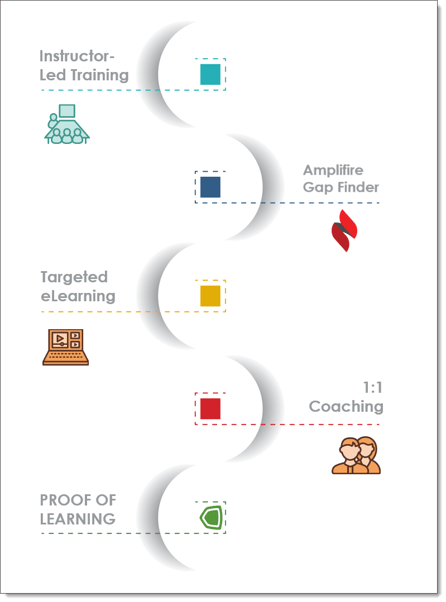
Examples include:
- Skill development: Efficiently address knowledge gaps to support upskilling, career growth, and role changes.
- Mandatory training preparation: Identify weak areas ahead of exams or certification to improve readiness and compliance outcomes.
Assessment Tool
GapFinder is also useful for learners to show what they’ve learned at the end of their training journey. This is where GapFinder can function much more like a test. When used for this purpose, you can configure the GapFinder with custom messages that indicate passing or failure, as well as providing a link to a certificate of completion for learners who have successfully scored within the passing range. GapFinders can be time limited and locked to only allow learners to take them once.
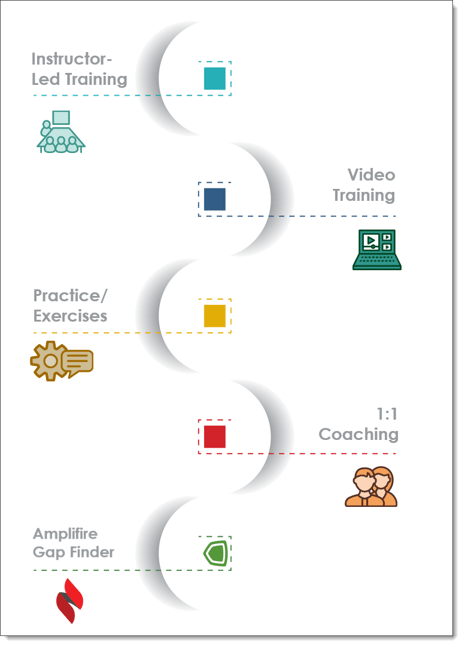
Examples include:
- Measuring final competency: Confirm knowledge retention and successful learning upon program completion.
- Compliance and credentialing: Document competency with detailed assessments for regulatory, compliance, or credentialing needs.
- Placement decisions: Determine readiness for advanced courses or identify when foundational learning is needed.
- High-stakes verification: Verify essential knowledge in safety-critical or regulatory roles where competency is crucial.
Getting Started
GapFinder Assessments can be configured with flexible settings including:
- Timing options (timed vs. untimed assessments)
- Question selection (all questions or subset)
- Recommendation preferences (show recommended modules, custom messages)
- Overall score messages and topic-based feedback
- Integration with existing learning modules and content
See Configuring a GapFinder Module for more information on setting up your GapFinder to meet your learners' needs.