- In this article, you'll learn how to navigate your course using the Course Outline Side Panel feature.
- For more information on course navigation, check out Navigating the Course Outline.
 |
TL;DR: A quick-reference collapsed outline view for navigating large courses without heavy scrolling. |
Course Outline Side Panel
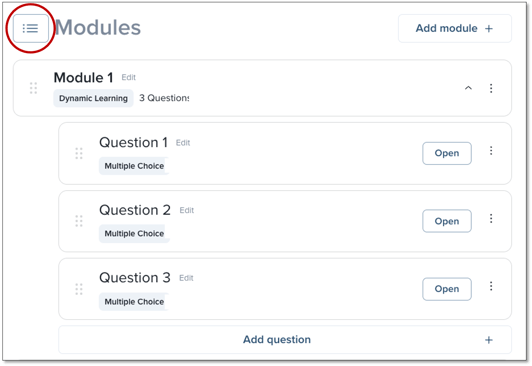
The Course Outline Side Panel is a compressed version of the Course Outline page. It is designed to help you navigate larger courses with minimal scrolling, organizing courses with many modules/questions in a neat, concise window from the top of the page. To expand the Course Outline Side Panel, click the outline icon anywhere it appears.
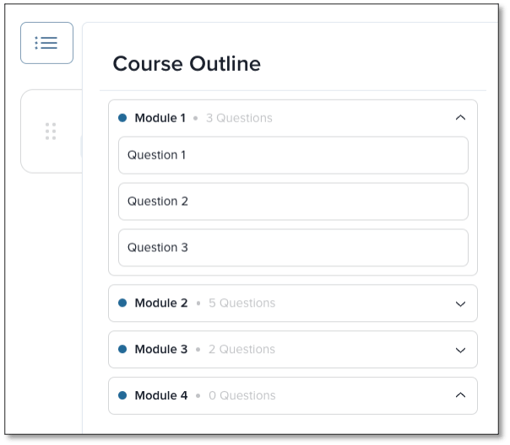
From here, the Course Outline Side Panel will expand. You can click into any module and select a question to navigate into.
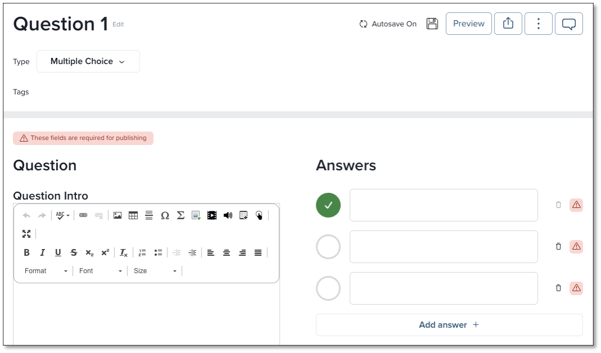
After clicking a question, you will arrive directly into the editing area for that question.